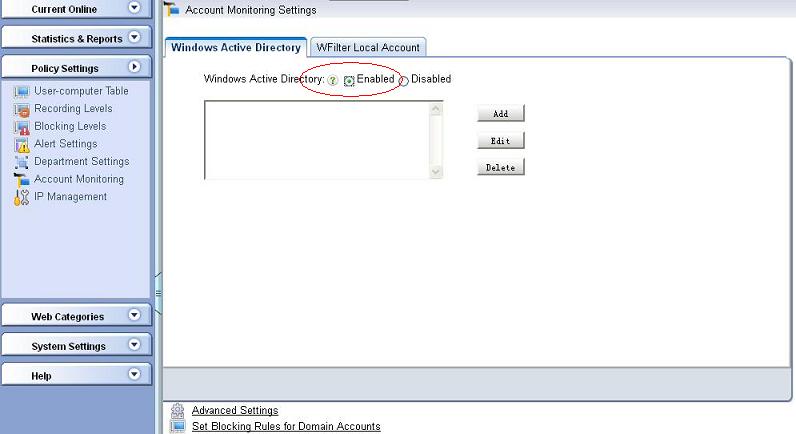
Figure 1.1
For better internet monitoring and filtering, WFilter can also enable "Account Monitoring" to set policy based on user accounts. With this feature, you can set blocking policy for active directory users or WFilter local accounts. Please follow below steps to get it started.
WFilter can be integrated with Microsoft Active Directory to monitor/filter based on AD users. To use this feature, an available windows Active Directory is required.
As in "Figure 1.1", you need to enable "Windows Active Directory" in "Account Monitoring Settings".
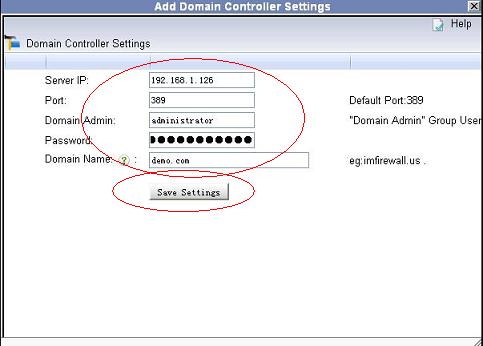
Click "Add" to add a domain controller:
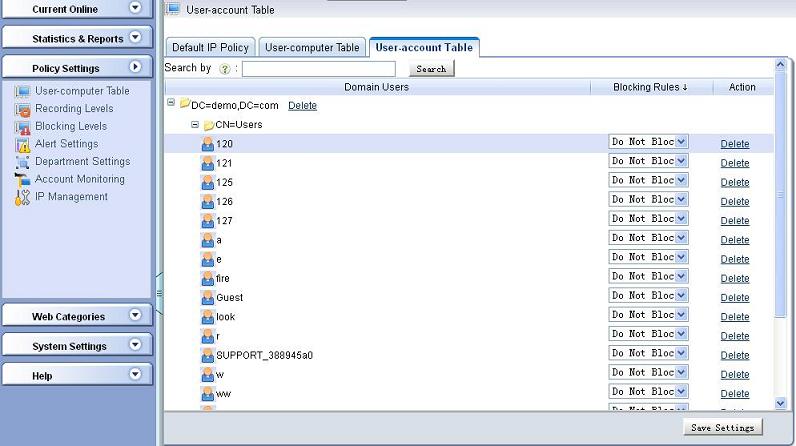
If your settings are correct, you will be able to check and set blocking policy for domain users.
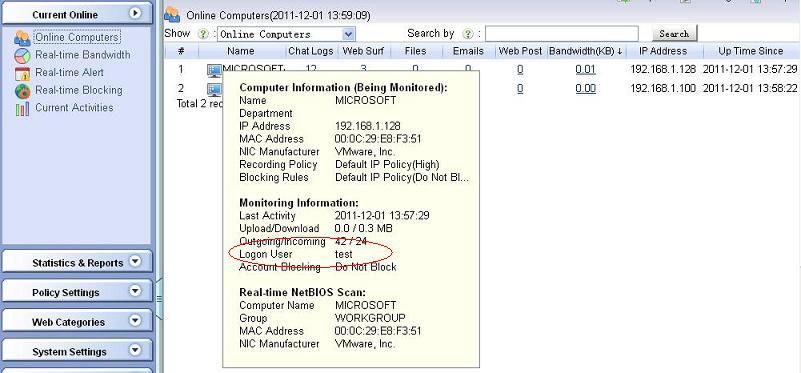
As in Figure 1.5, upon successful account retrieving, you will be able to see "Logon Domain" and "Logon User" in the "Computer Information" by moving your mouse over the names in "Online Computers".
Please notice: To correctly associate a domain user with a computer, WFilter needs to see the logon process of this domain user. So you need to wait for some while before AD users appear in "Online Computers".
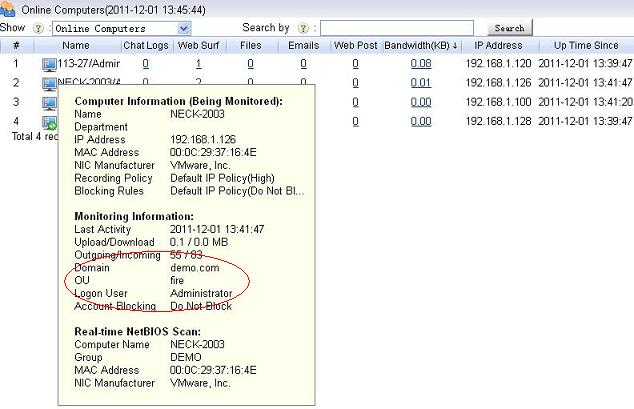
If you don't have an available Active Directory, you also can enable "WFilter Local Account" feature to monitor/filter by user accounts.
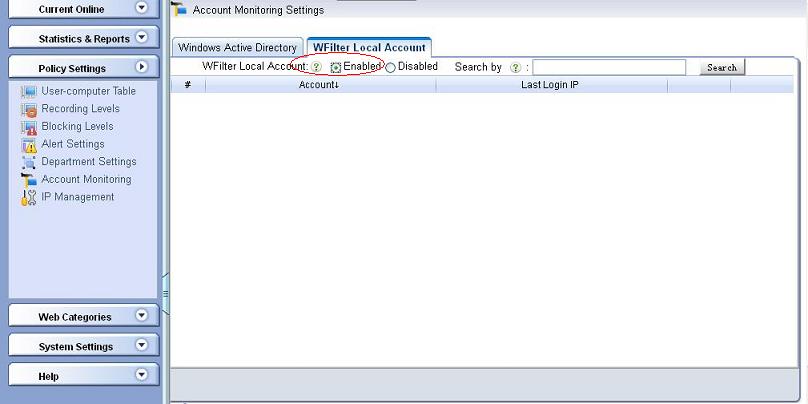
As in figure 2.1, enable "WFilter Local Account" in "Account Monitoring Settings".
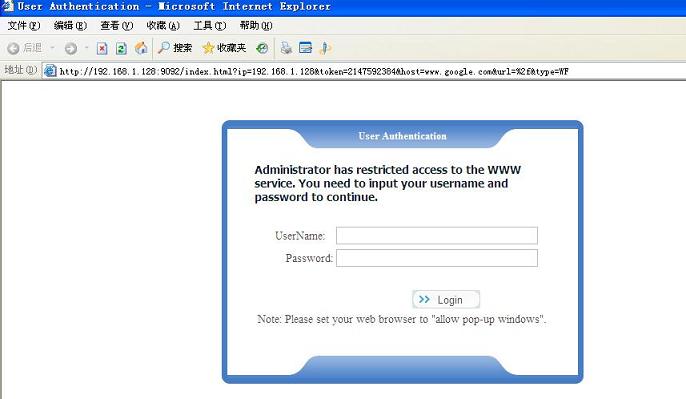
When "WFilter Local Account" is enabled, monitored computers will be required to input their username/password to access the internet. Blocking policies of these users are also applied.
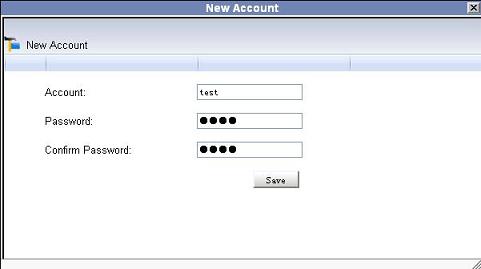
Click "New WFilter Local Account" to add users to WFilter.
First, open a webpage in a monitored computer, upon correct settings, you will be asked to input username/password.
As in Figure 2.4, you will be able to see "Logon User" in the "Computer Information" by moving your mouse over the names in "Online Computers".